

Not Every Upgrade Is Worth Chasing: Why I Started Pinning Developer Tools
A real developer-tool upgrade changed how I think about latest versus stable. I now pin developer tool versions, separate upgrades from daily startup, and keep rollback ready.
On this page
I used to treat developer-tool upgrades as a mostly obvious choice: if the release was not an obvious beta, newer usually meant more fixes, more capabilities, and fewer reasons to stay behind.
I do that much less now.
Not because I have become hostile to new software, but because once a tool becomes part of a real working system, the version itself is not the asset. The stable workflow around it is.
Pinning CodexPro to the current known-good release is a recent example. Across several upgrade and connection changes, I ran into 401 and 502 failures, tunnel instability, sessions that connected but did not execute tools, and startup behavior that no longer matched the workflow I had already validated. None of those failures was catastrophic on its own. Together, they could interrupt everything downstream: reading a repository, editing files, running scripts, publishing the site, and distributing new content.
The fix I ended up preferring was deliberately conservative. Once the current release was stable, I copied it into an independent local directory, created a fixed launcher for that exact copy, and made the runtime directory and launcher immutable. A later global package update can change the system-wide installation, but daily work still points to the version that has already been tested.
That changed how I think about upgrades.
Latest does not automatically mean more productive
For a tool that has just been installed and has no surrounding dependencies, upgrading is cheap. If it breaks, reinstalling is usually enough.
Once the same tool becomes infrastructure, the calculation changes.
It may depend on a fixed port, a named tunnel, authentication behavior, allowed project roots, command-line flags, browser sessions, or simply the habits you have already built around it. If a new release changes any of those boundaries, the upgrade cost is no longer just downloading a package. It becomes a re-validation of the whole chain.
That is why I no longer translate “eight new features” in a changelog directly into “I should upgrade.”
If I need none of those features and the release can force half a day of debugging on a publishing workflow that worked yesterday, the upgrade has negative value for me.
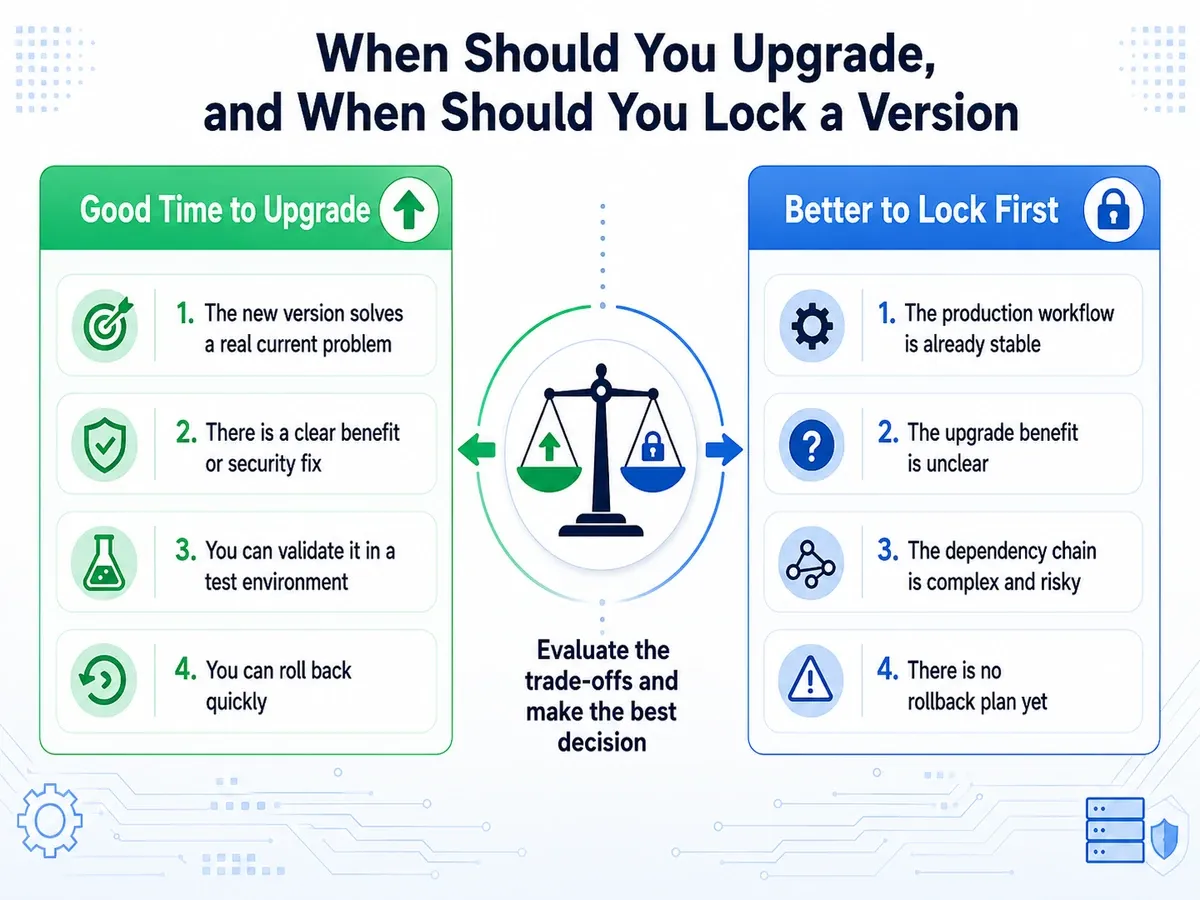
I now accept only three reasons to upgrade
The first is security or compatibility. A confirmed high-risk vulnerability, an operating-system or browser change that breaks the old release, or an external protocol migration can make staying put riskier than moving forward.
The second is a real problem I already have. Not “it might be faster,” but a reproducible bug in the current release that blocks work and has a verified fix in the newer version.
The third is a capability whose benefit clearly exceeds migration cost. If a new release replaces a fragile manual process with a stable interface and that process is currently a bottleneck, the upgrade can be worth it.
Outside those cases, I now prefer to leave working systems alone.
Leaving them alone is not laziness. It means spending time on code, products, writing, and real output instead of repeatedly repairing an environment that was functioning the day before.
I separated “upgrade” from “start”
This is the biggest change.
I used to think a launcher that quietly ran latest, npm update, git pull, or an automatic release download was convenient. Every launch would give me the newest version.
I now see that as a poor production default.
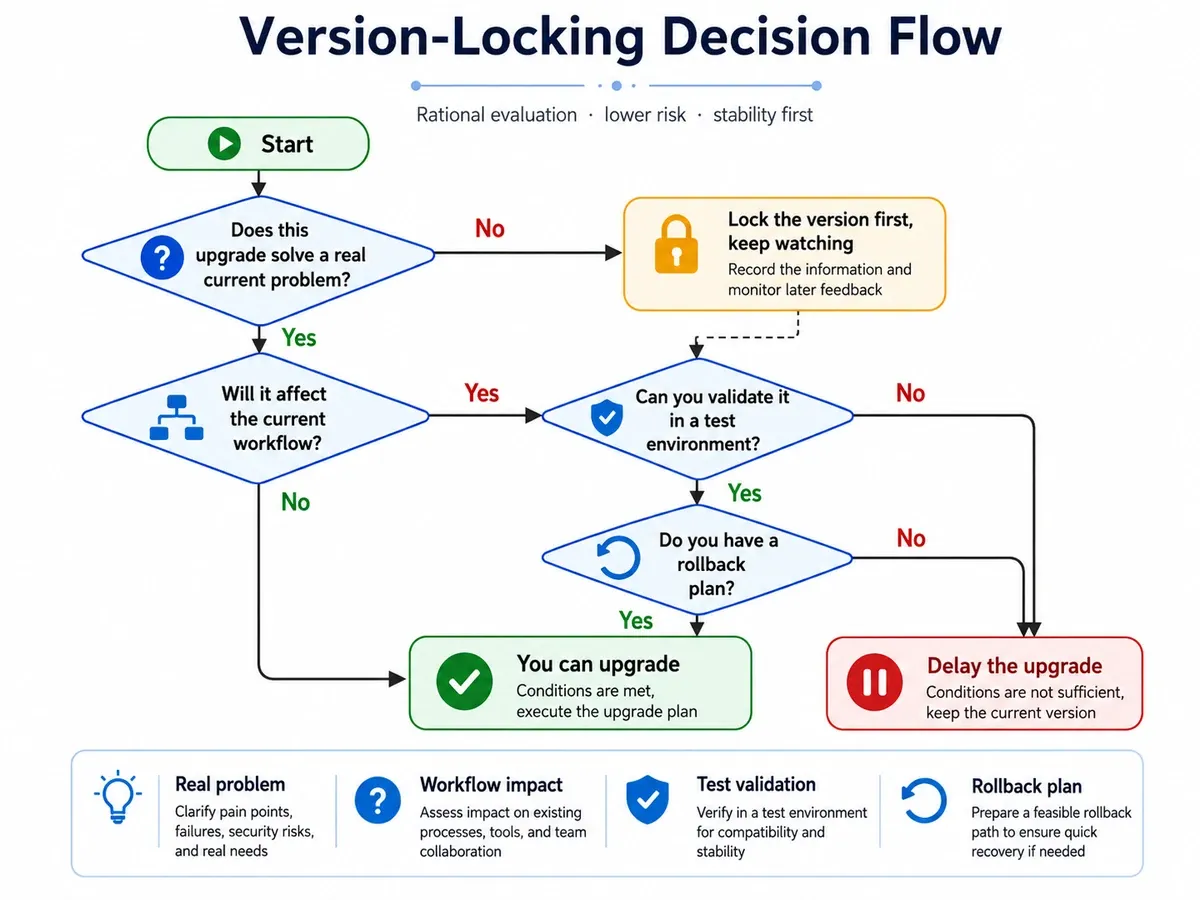
Normal startup should do one thing: launch the version that has already been verified.
Upgrading should be a separate workflow: unlock the current version, back it up, install the candidate, run diagnostics, verify the critical paths, and only then switch the default entry point. If any step fails, the previous version should still be immediately recoverable.
It is the same principle I use for site releases. Writing the code is not proof that production is healthy; the release still needs build gates, live HTTP checks, and a rollback boundary. Developer tools deserve the same treatment once they become infrastructure.
The real thing to lock is not just the version number
An exact version in package.json is useful, but it is not sufficient.
What I wanted to protect this time was four things.
First, the complete known-good copy. It should not disappear just because a global package manager replaces its own installation.
Second, a fixed entry point. The daily command should resolve to that copy explicitly instead of running whichever binary happens to come first on PATH.
Third, startup rules. The launcher may start the service, but it should not upgrade it as a side effect.
Fourth, a rollback path. If an upgrade becomes necessary, I should know how to unlock the current version, test the new one, and restore the previous release without rebuilding the environment from memory.
Once those pieces exist, version pinning stops being resistance to change. It turns change into a controlled event.
For an indie developer, attention is more expensive than servers
Working alone has changed what “stability” means to me.
In a larger team, one broken development environment does not stop every other task. In a solo project, losing half a day to tooling can pause almost everything. Writing turns into debugging npm, a page fix turns into port inspection, product work turns into a Cloudflare investigation, and the day ends with very little durable output.
I am increasingly willing to pay a small conservative cost for fewer surprises.
This follows the same idea I wrote about in From Vision to Reality: A Post-Mortem of Launching XBSTACK Solo: a personal project becomes sustainable not by installing every new capability, but by gradually building a system that can keep running and recover when it fails.
I also think less about AI tools as isolated products now. Chat, Work, Codex, and local tooling become useful when each has a clear place in a stable workflow. I broke down those roles more directly in ChatGPT Work vs Chat vs Codex: What Should Each One Do?.
When should the version lock come off?
A version lock is not permanent.
If a security issue appears, the operating environment changes, a critical bug is fixed, or a new capability genuinely removes a current bottleneck, I will still upgrade.
The order is simply different now:
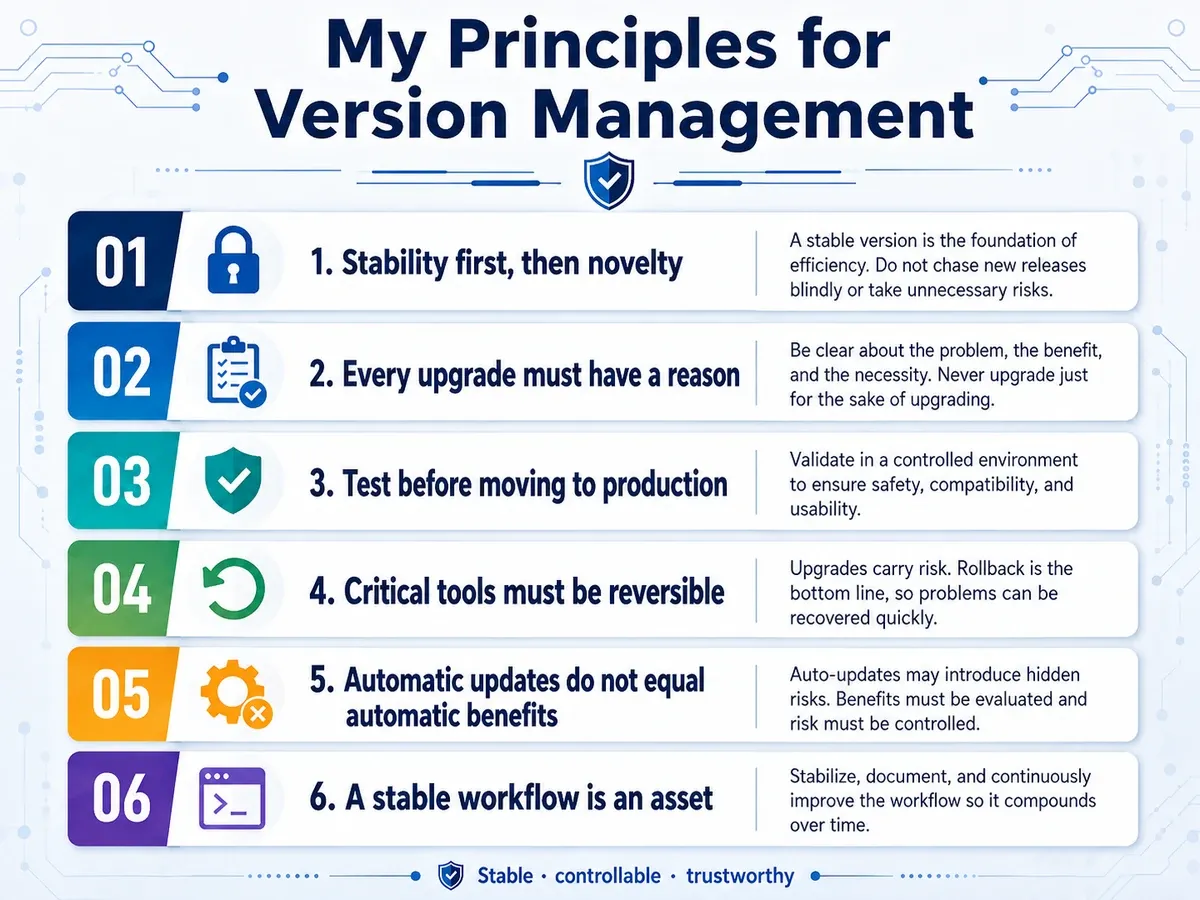
Know why I am upgrading before I upgrade. Prepare rollback before testing the candidate. Validate the critical workflow before changing the default executable.
If the only reason is “a new version exists,” I now ask a simpler question:
What problem does this upgrade solve for me?
If I cannot answer that, I leave it alone.
I used to think “staying current” was a form of technical hygiene. I now care more about staying controllable.
For a long-running project, the thing worth protecting is not the newest version number. It is continuous, stable, recoverable output.
Next step: continue with related field evidence
Full decision path →Follow the next route, condition, gear, or firsthand record that helps make a real decision.

DISCUSSION
Questions, verification and corrections
Sign in to comment. Every new comment is reviewed before publication; while pending, it is visible only to you and the administrator.