

How to Test an MCP Server Before Production: Read-Only Inspector Preflight
Test an MCP Server before production with read-only server/discover and list checks for protocol version, catalogs, authorization, cache hints, and modern/legacy compatibility.
Evidence 5 cited sources
On this page
A common way to test an MCP server is to open an Inspector and immediately invoke a tool. That is not always the right first step for a production endpoint. The protocol and catalog layer can be verified with read-only requests before any business action is triggered.
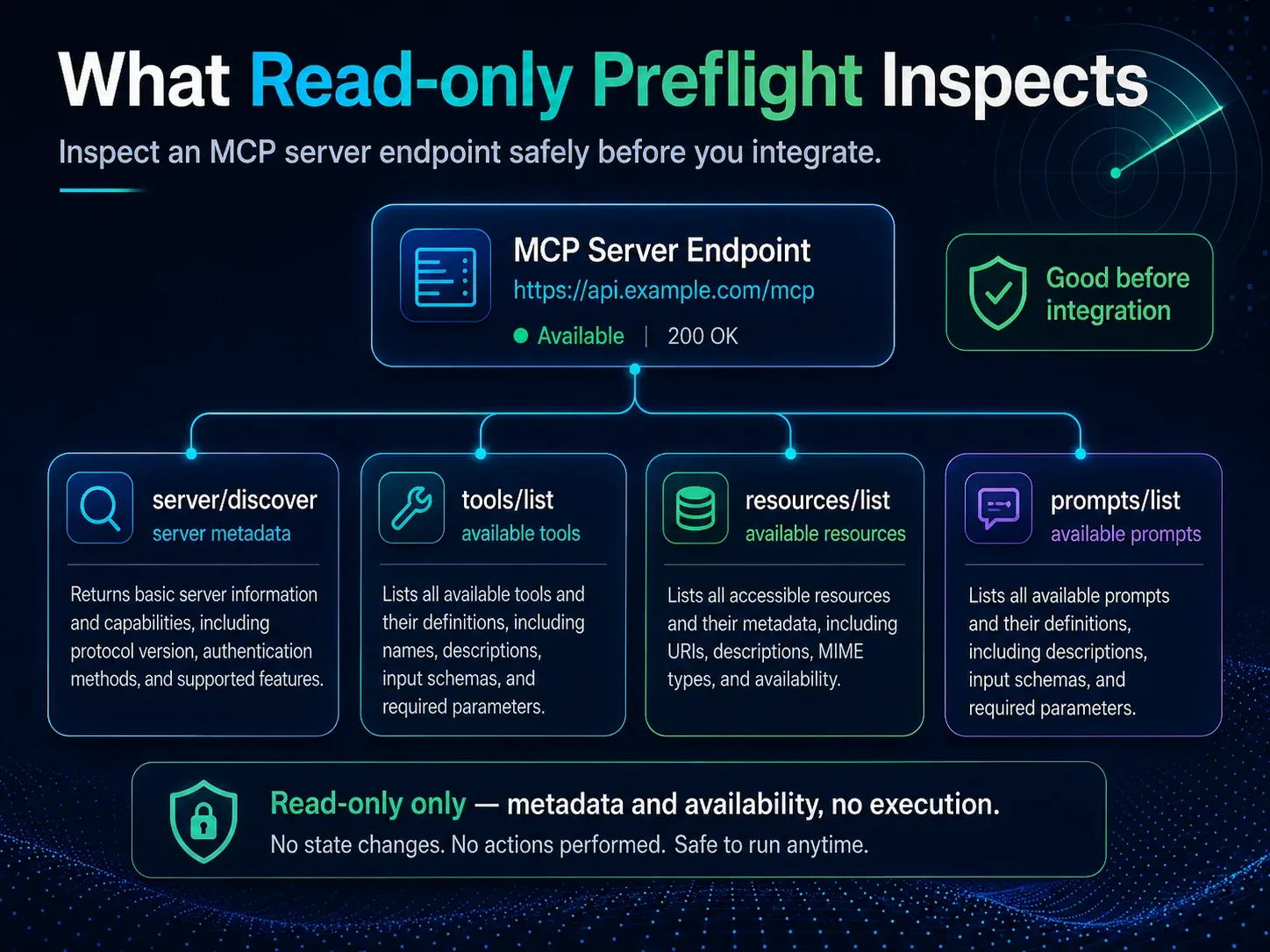
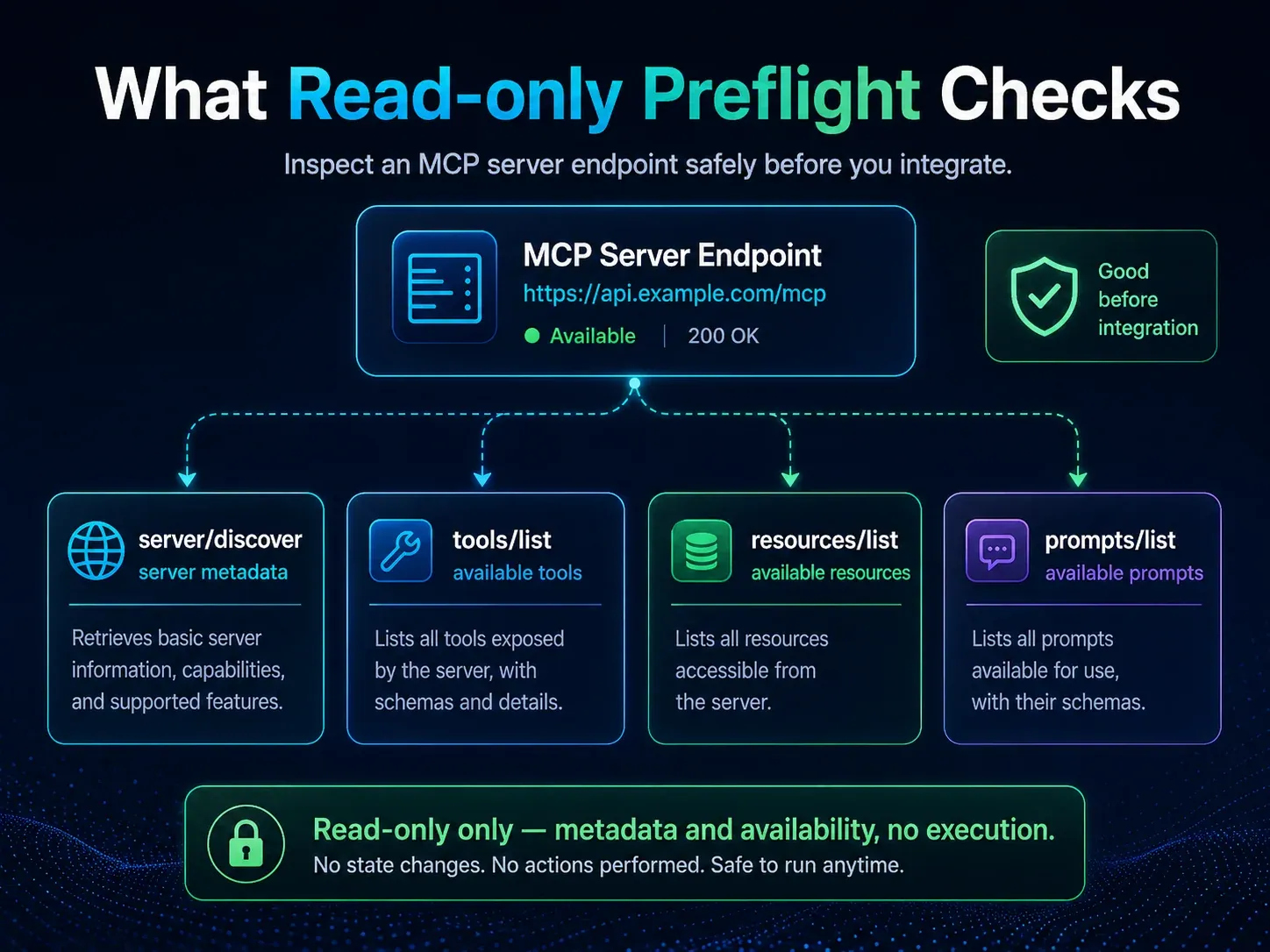
MCP 2026-07-28 moves the core to stateless request/response and adds server/discover. It can return supported protocol versions, capabilities and server identity. You can then use tools/list, resources/list and prompts/list to check what the server currently exposes. For authenticated services, the HTTP authorization challenge is itself part of the preflight evidence.
What to check before production
I split preflight into six layers:
- Endpoint — reachability, TLS, redirects and expected HTTP status.
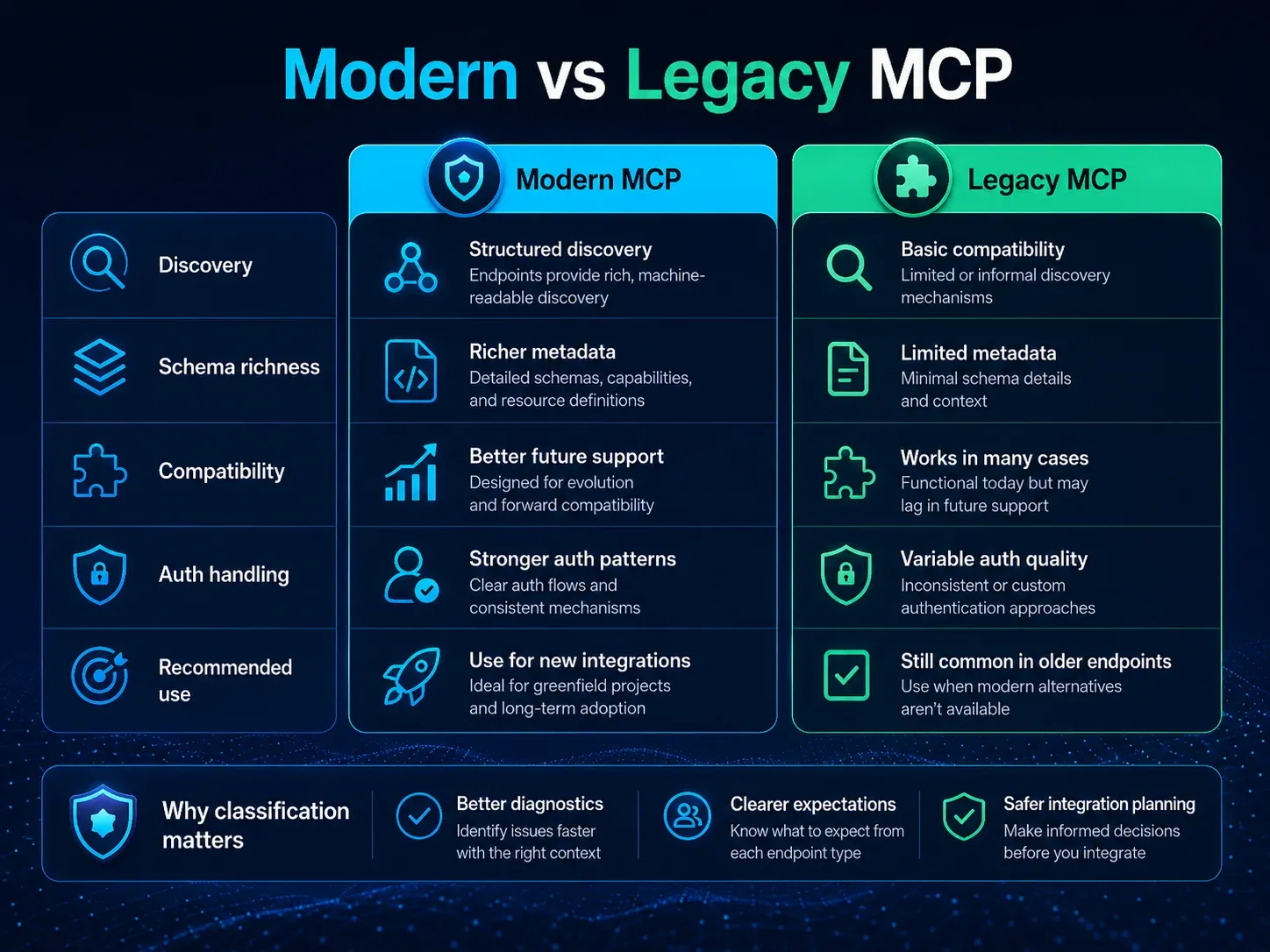
- Protocol — whether the endpoint supports 2026-07-28 or only a legacy lifecycle.
- Discovery — whether
server/discoverreturns valid JSON-RPC and useful capability/version information. - Catalogs — whether
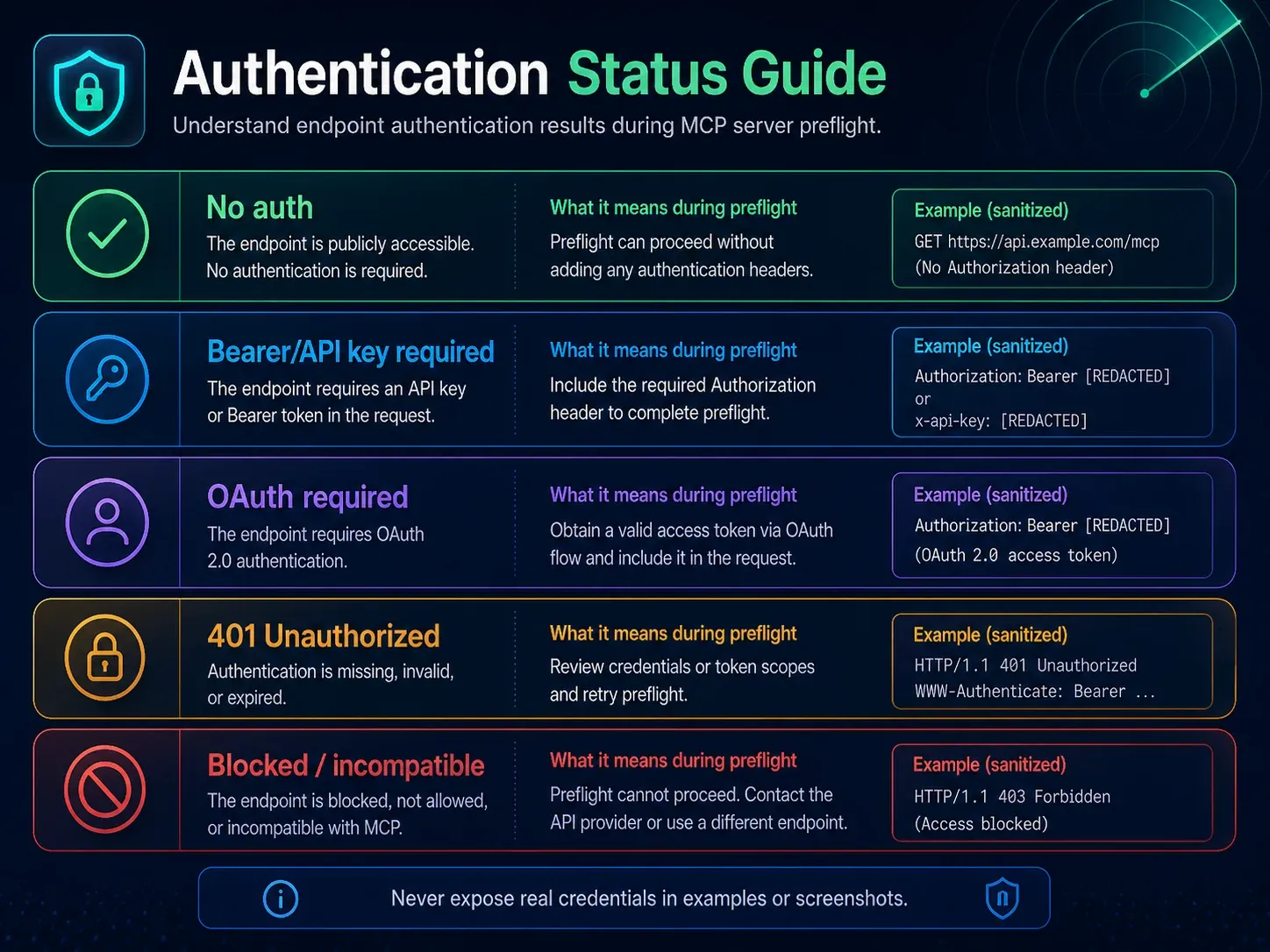
tools/list,resources/listandprompts/listreturn valid structures. - Authorization — whether unauthenticated access produces a correct 401/metadata/challenge instead of an opaque 500.
- Operational signals — response time, cache hints and error consistency.
Once these pass, real tool calls are much easier to debug because you have already separated protocol failures from business logic failures.
Reading server/discover correctly
A modern MCP server implements server/discover. The response may expose:
supportedVersions;capabilities;- server identity metadata;
- optional
instructions; - cache hints such as
ttlMsandcacheScope.
Two details matter.
First, a client does not have to call server/discover before every request. The specification allows a client to send another RPC directly and handle UnsupportedProtocolVersionError if necessary.
Second, self-reported server information is useful for display and debugging, but it is not an authentication primitive. Real authorization still depends on OAuth, token audience, scopes and application-level checks.
Why validate the list methods too
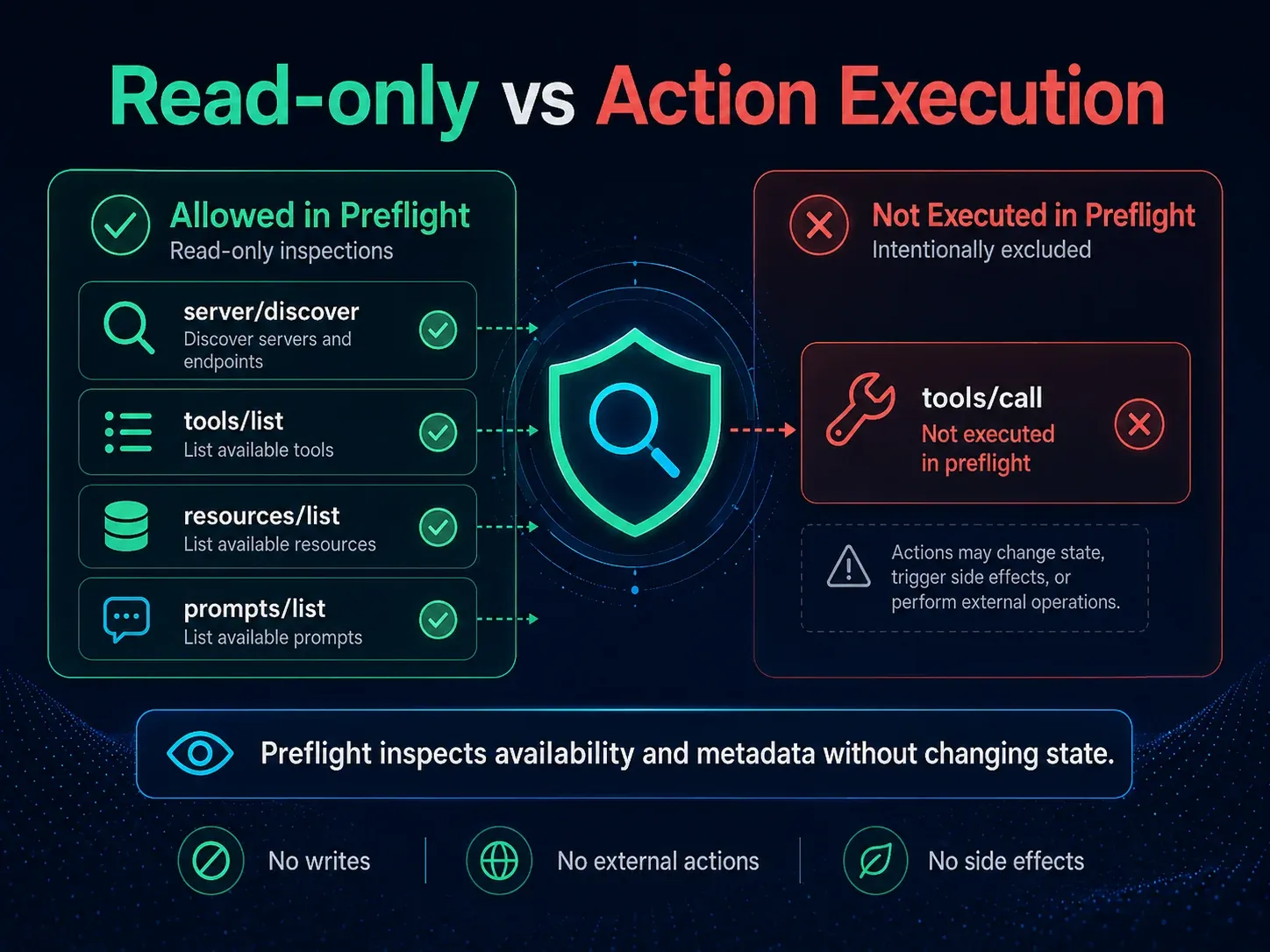
server/discover tells you what the server says it supports. The list methods show what the endpoint currently exposes:
server/discover
  ->
tools/list
resources/list
prompts/list
If the capability metadata says Tools are supported but tools/list returns an invalid structure, you have a catalog implementation issue rather than a network issue. If a deployment unexpectedly returns zero tools, you can detect that before any real business action is attempted.
Why XBSTACK’s public Inspector is read-only
The official MCP Inspector is a full developer tool with Web, CLI and TUI clients and support for tools/call. That is appropriate when a developer is debugging a server they control.
The XBSTACK MCP Inspector deliberately uses a narrower boundary for public remote endpoints: discovery, compatibility detection and first-page catalog reads, without sending tools/call.
The reason is operational context. A public web checker does not know what side effect an unknown tool may cause or whether the visitor is authorized to trigger it. So the product is closer to an MCP endpoint preflight than a complete interactive client.
The same probe now covers 15 public endpoints
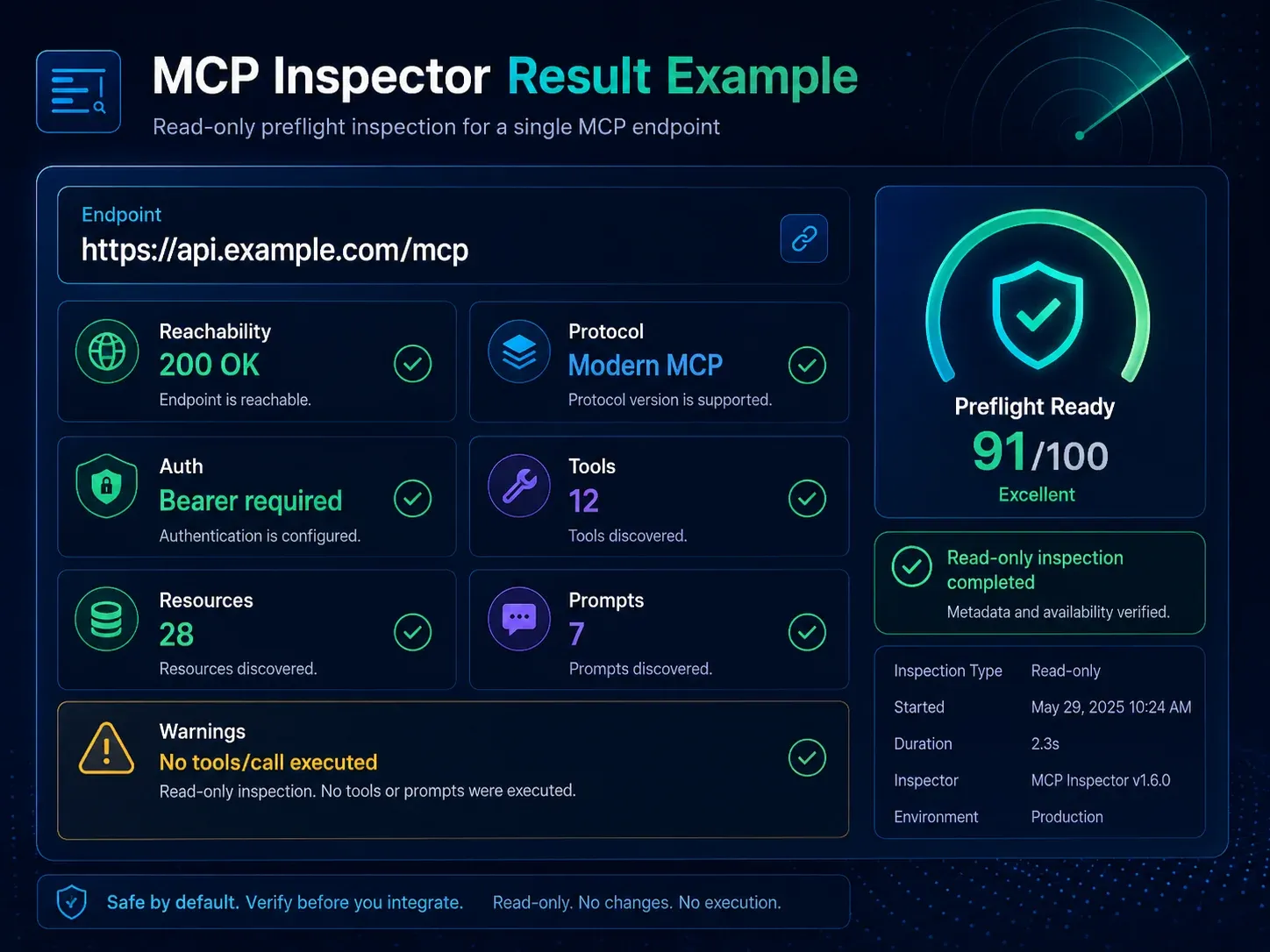
The current MCP Protocol Radar applies the same read-only method to 15 public remote endpoints, including Context7, Microsoft Learn, DeepWiki, GitHub, Vercel, Atlassian Rovo and multiple Cloudflare MCP servers.
For each endpoint it records the same kinds of observations:
- reachability;
- modern / legacy / unknown classification;
- protocol version;
- tools/resources/prompts counts;
- authorization challenge;
- verification timestamp.
This is useful as a compatibility dataset. It should not be presented as a security ranking or official certification.
A practical rollout order
1. Read-only preflight in a public or controlled environment
2. Confirm protocol and authorization boundaries
3. Invoke read-only tools with a test account
4. Validate authorization/confirmation for write tools
5. Test failure, timeout, retry and duplicate-call behavior
6. Send production traffic
If step one already shows JSON-RPC parse errors, an empty catalog, a version mismatch or broken OAuth metadata, fix the foundation first. A successful business tool call should not be used to hide protocol-level defects.
What a read-only PASS means
It means the endpoint passed the checks that were actually executed at that timestamp.
It does not mean:
- every tool works;
- permissions are least-privilege;
- tool output is free of prompt-injection risk;
- the server has no application vulnerabilities;
- a future deployment will behave the same way;
- XBSTACK or the MCP project has certified the server.
That is why the radar keeps verifiedAt, stale state and methodology visible instead of assigning permanent safety labels.
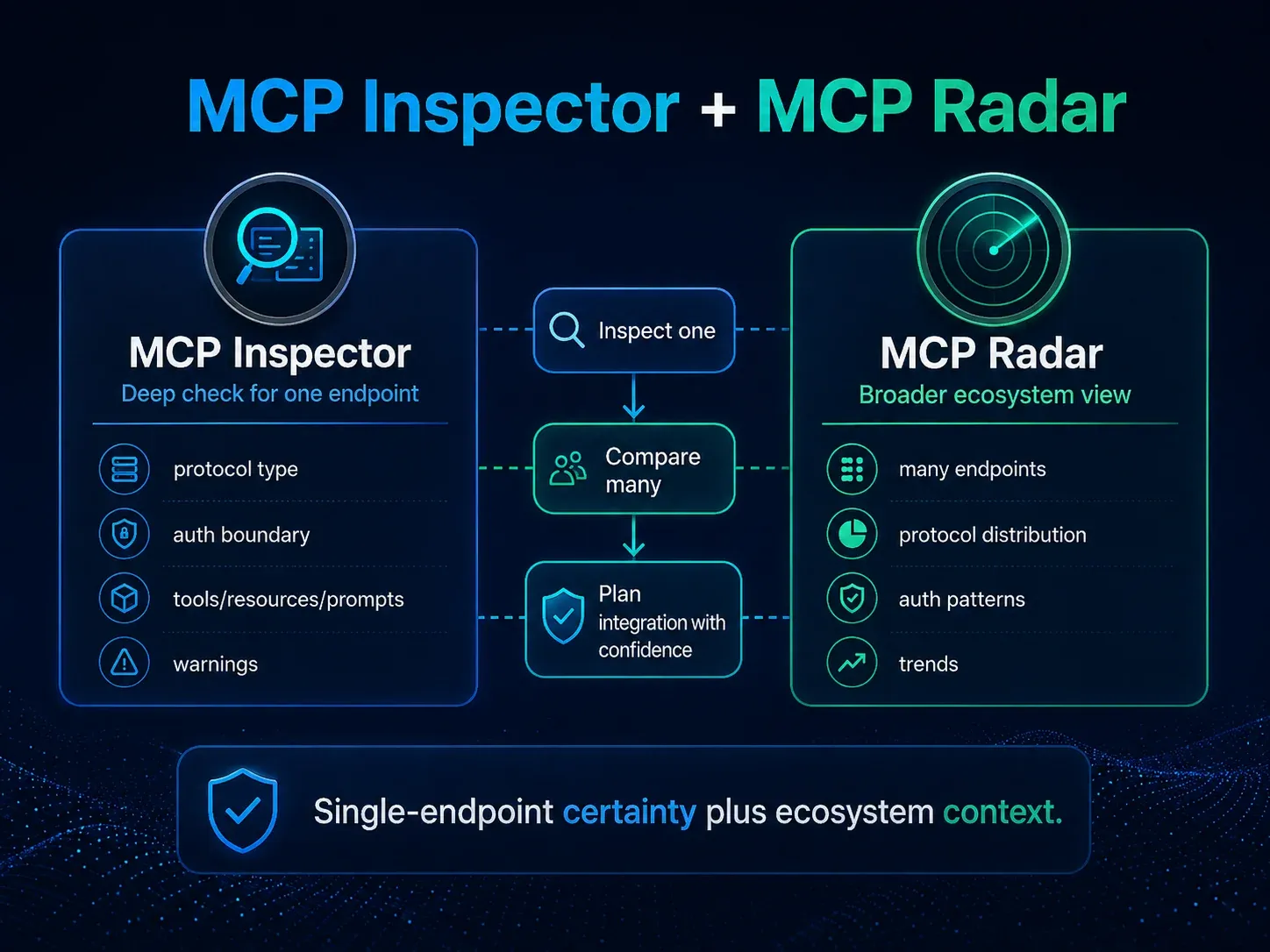
If you only need to know whether a remote endpoint is healthy enough for deeper debugging, start with the MCP Inspector. If you want to compare protocol adoption across public servers, use the MCP Protocol Radar.
Continue from protocol details to production MCP governance
The MCP hub connects protocol fundamentals, transports, authentication, security, JSON-RPC debugging and production deployment without splitting the search intent across isolated guides.
Next step: move MCP toward production
Full decision path →Continue from protocol behavior into transport, authorization, security, and operational boundaries.

DISCUSSION
Questions, verification and corrections
Sign in to comment. Every new comment is reviewed before publication; while pending, it is visible only to you and the administrator.